Web Design / JOURNAL
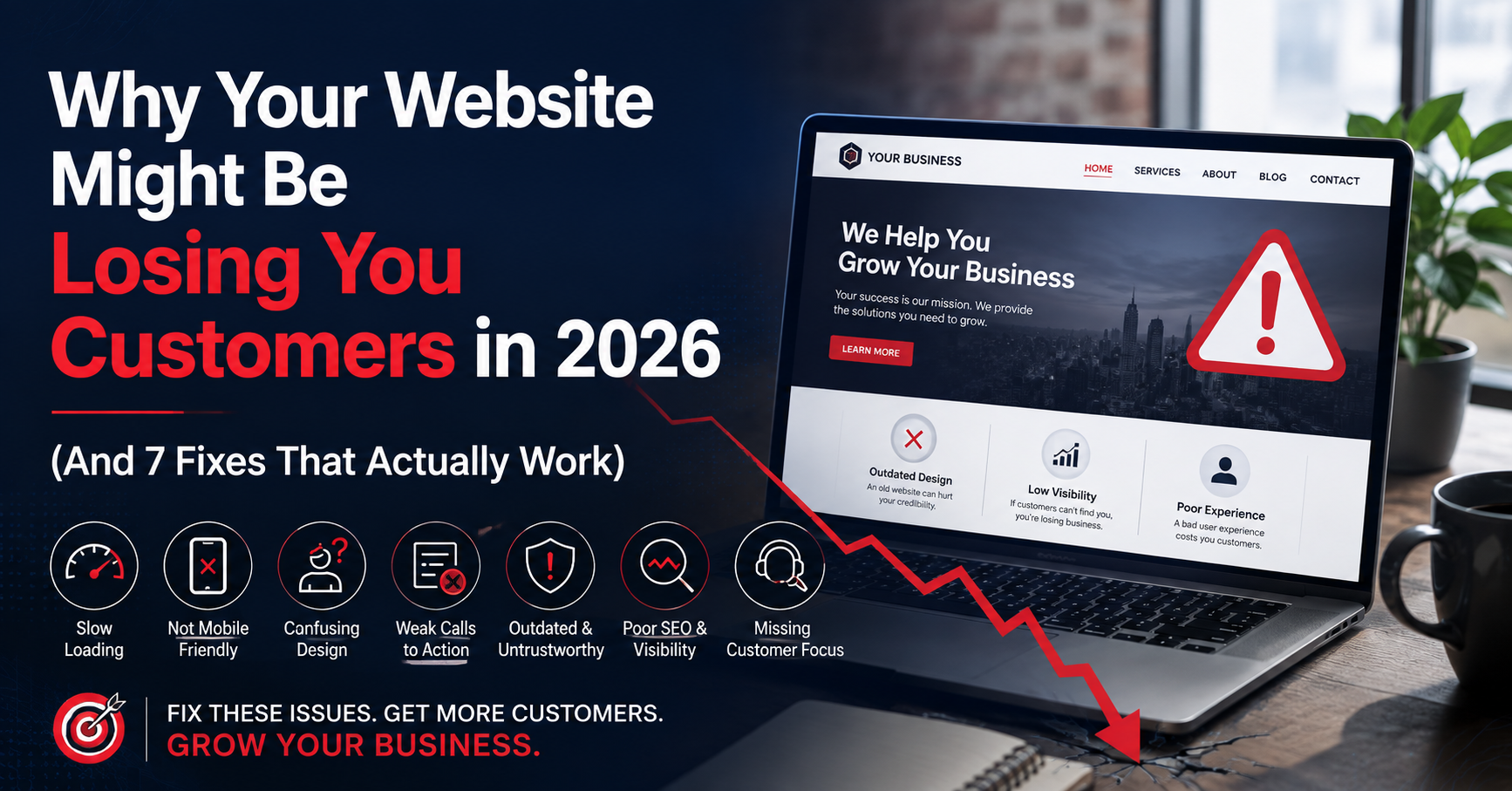
Why Your Website Might Be Losing You Customers in 2026 (And 7 Fixes That Actually Work)
Review seven website issues that can make it harder for visitors to become customers, then prioritize practical improvements.
Your website is open 24 hours a day, but that doesn’t mean it’s working for you. If it’s slow, hard to use on a phone, or impossible to find on Google, it’s not a storefront — it’s a locked door. Here’s how to tell if that’s happening, and exactly what to fix first.
Most business owners assume that having a website is enough. It isn’t. Every year, more customers decide whether to call, book, or buy within the first few seconds of landing on a site — and a surprising number of businesses are quietly losing that decision before they ever get a chance to make their pitch.
The good news: the fixes are well understood, and most of them don’t require starting from scratch. Below are the seven most common ways a website quietly pushes customers away, followed by what a modern, “next-gen” site does differently.
The Real Cost of an Outdated Website
An outdated website doesn’t just look dated — it actively costs you business in ways that are easy to miss because there’s no obvious error message. People don’t complain about a slow or confusing site; they just leave, and they leave for a competitor whose site made it easier to say yes.
That’s the part that makes this so costly: the damage is invisible unless you know what to look for. So let’s look for it.
7 Signs Your Website Is Losing You Customers
-
It’s not built for phones
Most visitors are browsing on a phone, not a desktop. If your site requires pinching, zooming, or sideways scrolling to read, most people will leave before they even see what you offer.
-
It loads slowly
Every extra second a page takes to load increases the chance a visitor leaves before it finishes. A slow site quietly filters out a portion of your traffic before they see a single word.
-
There’s no clear next step
If a visitor has to hunt for your phone number, your booking link, or a “Get a Quote” button, most won’t bother. Every page should make it obvious what to do next.
-
The design looks outdated
Fair or not, people judge credibility by design. An old-looking site makes visitors wonder whether the business itself is still active, still careful, still trustworthy.
-
It’s invisible on Google
If your site isn’t structured for search engines, it doesn’t matter how good it looks — the customers searching for exactly what you offer will simply never find it.
-
It’s not secure (or doesn’t look it)
Use HTTPS, keep certificates valid and investigate browser security warnings. Browser icons vary, so the absence of a padlock alone does not prove a site is insecure. Collect only necessary information through appropriate forms and payment systems.
-
You can’t update it yourself
If changing a price, adding a photo, or posting an announcement requires calling a developer every time, your site quietly falls out of date — which visitors and search engines both notice.
What a Modern, Next-Gen Website Should Actually Do
A well-built website should work like your best salesperson: available around the clock, fast to respond, and clear about what you offer and how to get it. In practice, that means:
- Responsive design that looks and works great on any device, without a separate “mobile version” to maintain.
- Fast load times, achieved through clean code and optimized images rather than bloated page builders.
- Search-engine-friendly structure — proper headings, descriptive page titles, and content built around what your customers actually search for.
- Obvious calls to action on every page, so visitors always know exactly what to do next.
- Easy self-editing, so your team can update prices, hours, or photos without waiting on a developer.
What Businesses Typically Notice After a Redesign
A redesign should be evaluated against a documented starting point and agreed goals. Track whether visitors can complete key tasks, whether qualified inquiries change and whether the team can maintain accurate content. Outcomes vary; a more polished site is not, by itself, evidence of increased sales.
Ready to Stop Losing Customers to Your Own Website?
Nxt Gen Web builds fast, mobile-friendly, search-optimized websites designed to turn visitors into customers. Get a free, no-pressure site review and see exactly what’s holding your site back.
Get Your Free Website Review
Text us at 210-239-7911 or email us. Prefer a call? 210-360-1643
Frequently Asked Questions
How do I know if my website is losing me customers?
Common warning signs include high bounce rates, slow load times, poor display on mobile, low search rankings, and few contact form submissions or calls coming from your site. A quick site audit usually confirms which of these are hurting you most.
How much does a website redesign cost?
Cost varies based on the size of your site, the features you need, and whether you want ongoing SEO or content support. Most businesses start with a free consultation to get a clear, custom quote before committing to anything.
How long does a redesign take?
A straightforward small business website typically launches within a few weeks of kickoff, while larger or more custom projects can take longer depending on scope and content needs.
If your business website is losing visitors before they contact you, prioritize the highest-impact fixes and measure successful inquiries. Explore our San Antonio web design services to see how we approach navigation, mobile layouts, content, and lead-generation goals.